Key performance indicator
The current process requires technicians to spend about 2 minutes creating and closing each request. In addition, they take notes throughout the day as requests come in—at least another 2 minutes per request. For a technician handling an average of 15 requests per day, this adds up to roughly 30 minutes spent on note-taking and 30 minutes on filling out request forms—around 60 minutes per day.
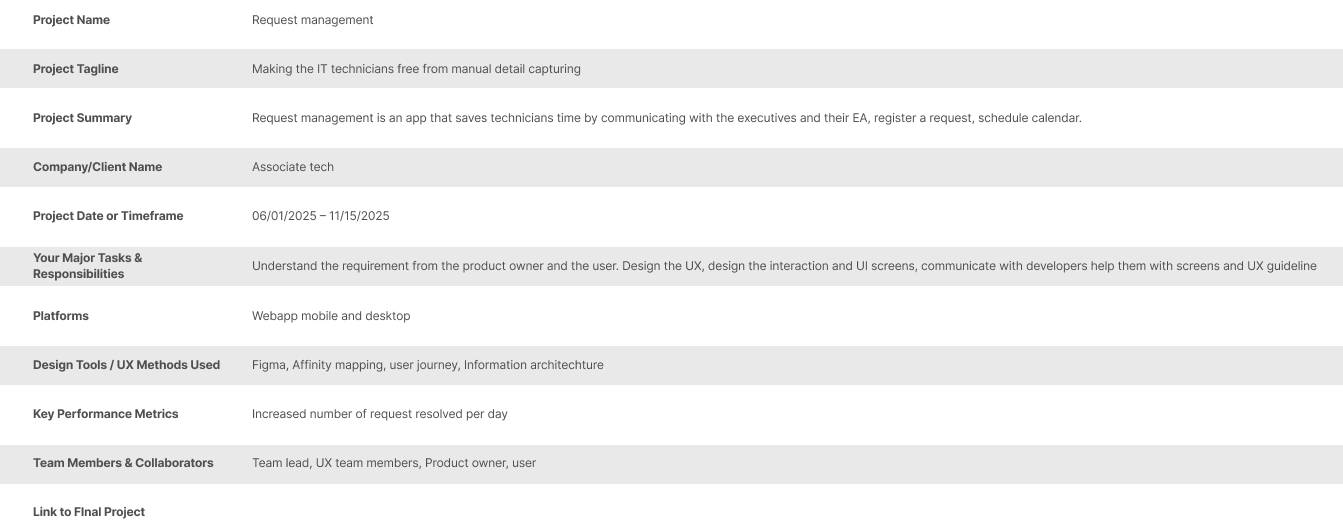
The proposed solution should let technicians focus solely on resolving executives’ issues by automatically drafting notes and generating requests from their actions. Technicians would simply review and approve the request by tapping a CTA, saving approximately 1 hour per technician per day.
From Onboarding to Ownership: Taking the Lead in a Transitioning Team
I arrived at "Executive assistance" project mid-stream, with a team in flux and a complex offshore collaboration already in motion. The challenge was clear: either I mastered the existing requirements overnight, or the project risked losing its onsite momentum. I saw this as more than a task—it was my opportunity to demonstrate I could steer a major project solo. By auditing weeks of recorded requirements and deep-diving into persona workflows, I transformed from a new joiner into the project's lead architect within my first week.
Dividing the Territory: Orchestrating a Global Design Effort
With the project foundations set, I established a weekly sync with my offshore counterpart to ensure our parallel workstreams never diverged. We split the user journey to cover the full executive experience:
The First Impression: My counterpart tackled the intricate Onboarding Workflow, mapping the hand-offs between HR and IT to ensure hardware was imaged, secured, and ready before Day 1.
The Daily Flow: I pivoted to the Lifecycle Support—the 'non-broken' requests that often cause the most frustration. I engineered the workflows for desk moves, accessory deliveries, and temporary out-of-state support.
My goal was to create a 'silent' support system: reducing the executive’s documentation burden to the absolute minimum so they could stay focused on leadership, not logistics.
Defining the MVP: Navigating Technical Guardrails
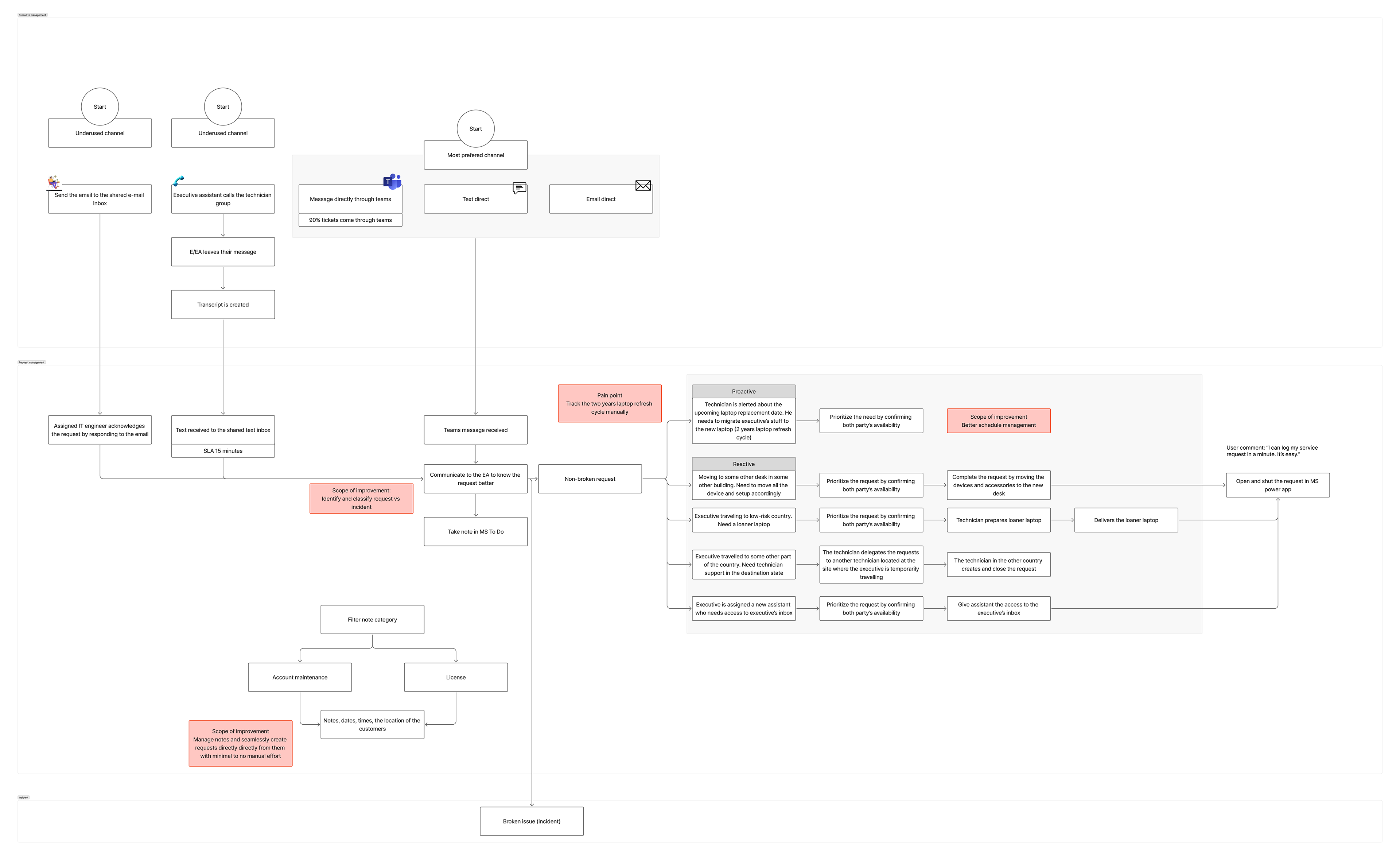
With the user journey mapped, I transitioned into concept development by first visualizing the technician’s current 'mental model'—the complex web of Outlook folders and manual logs they used to survive.
To sharpen our focus, I held a series of strategic sessions with the Product Owner to stress-test our MVP goals. We made a pivotal decision: we would not use AI to monitor executive communications. While technically possible, the security risks to sensitive data and the ballooning development costs made it a 'non-starter' for leadership. The broken incident was also out of scope for the MVP.
Instead of viewing this as a limitation, I saw it as a design challenge. I shifted my focus to building a robust, manual-yet-streamlined triggering system that empowered technicians without compromising executive privacy.
The Reality Check: Finding the 'Hidden' Pain Points
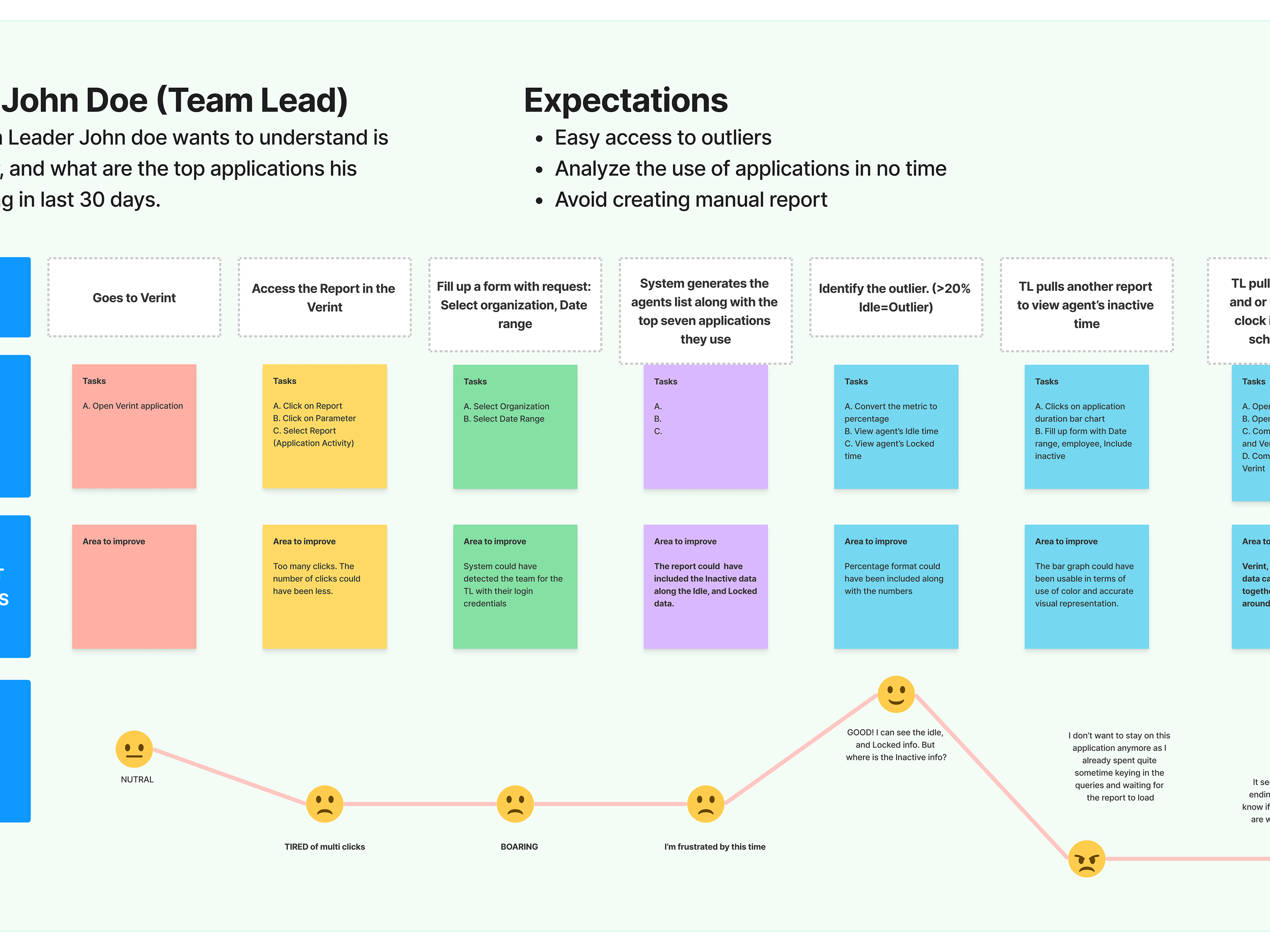
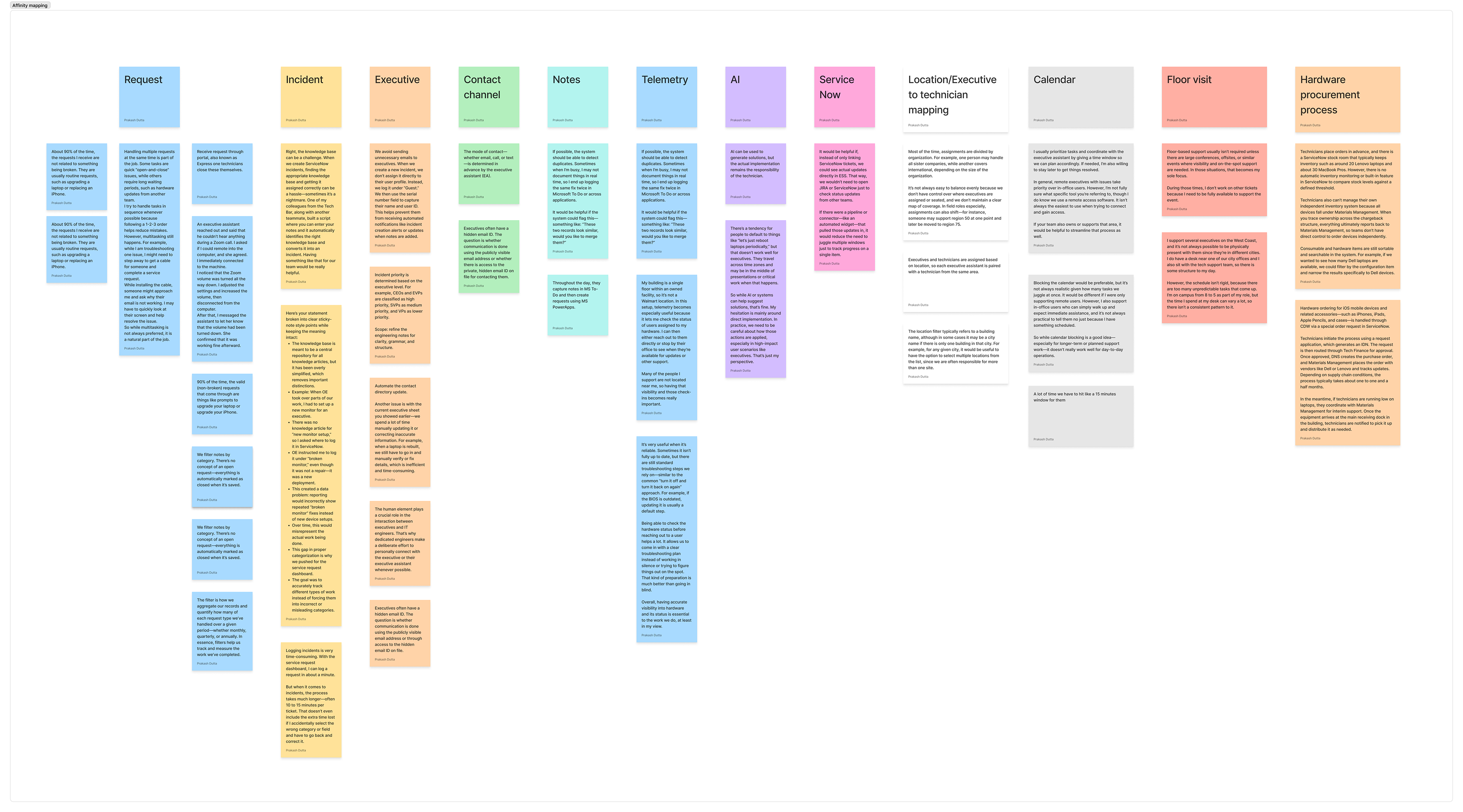
I sat down with the executive technicians to watch them work. What I found was a classic case of 'workaround culture.' They were using a patchwork of Microsoft apps to track their day, only logging requests into the system at the very end of their shift.
My research debunked a major assumption: the technicians didn't actually mind the manual ticket entry. The real villain was the Knowledge Base. For 'broken' incidents—like software crashes or hardware failures—the process of finding and linking the correct technical documentation in Service Now was a massive bottleneck, especially for newer staff.
Even though 'broken incidents' were technically out of scope for the MVP, I couldn't ignore this discovery. I realized that for the project to be a true success, my designs needed to bridge the gap between what was in scope and what the users actually needed to survive their day.
Existing workflow
The Breakthrough: Engineering a Privacy-First AI Workflow
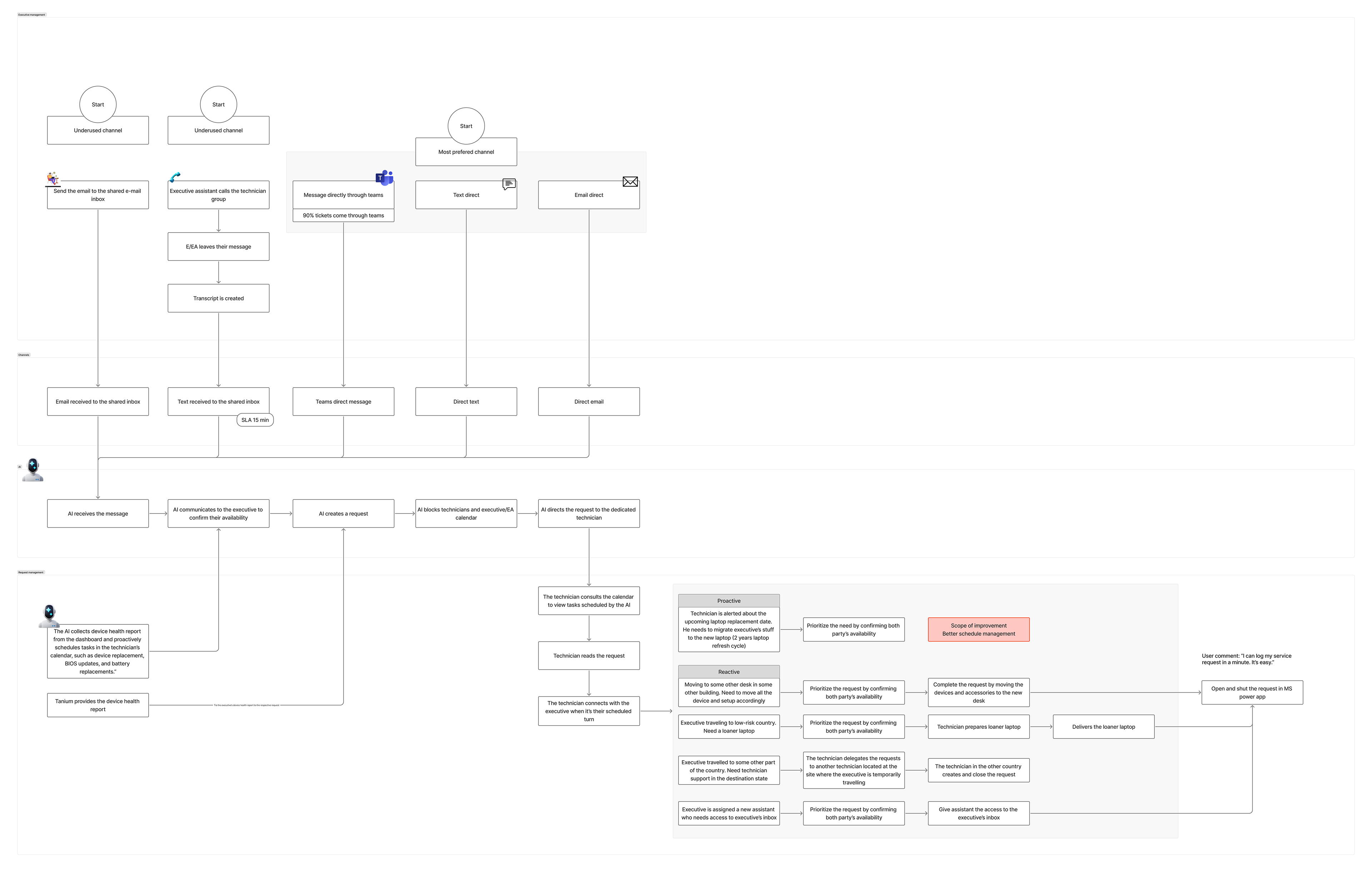
I was tasked with an 'impossible' requirement: automate ticket creation using AI, but without granting the AI access to the executive’s sensitive Outlook or Teams accounts. To bridge this gap, I took ownership of the Product Requirement Document (PRD), shifting my focus from the interface to the underlying data architecture.
The 'Lightbulb' Moment: I realized that we didn't need to scan the source; we needed to control the destination.
I proposed a dedicated 'Service Inbox.' By funneling only the executive’s tagged service messages into this isolated app, I created a secure environment for the AI. This allowed the system to parse details and auto-generate tickets without ever 'seeing' a single private email. This architectural pivot saved the MVP—delivering the automation the technicians craved while upholding the strict security standards leadership demanded.
Proposed Workflow
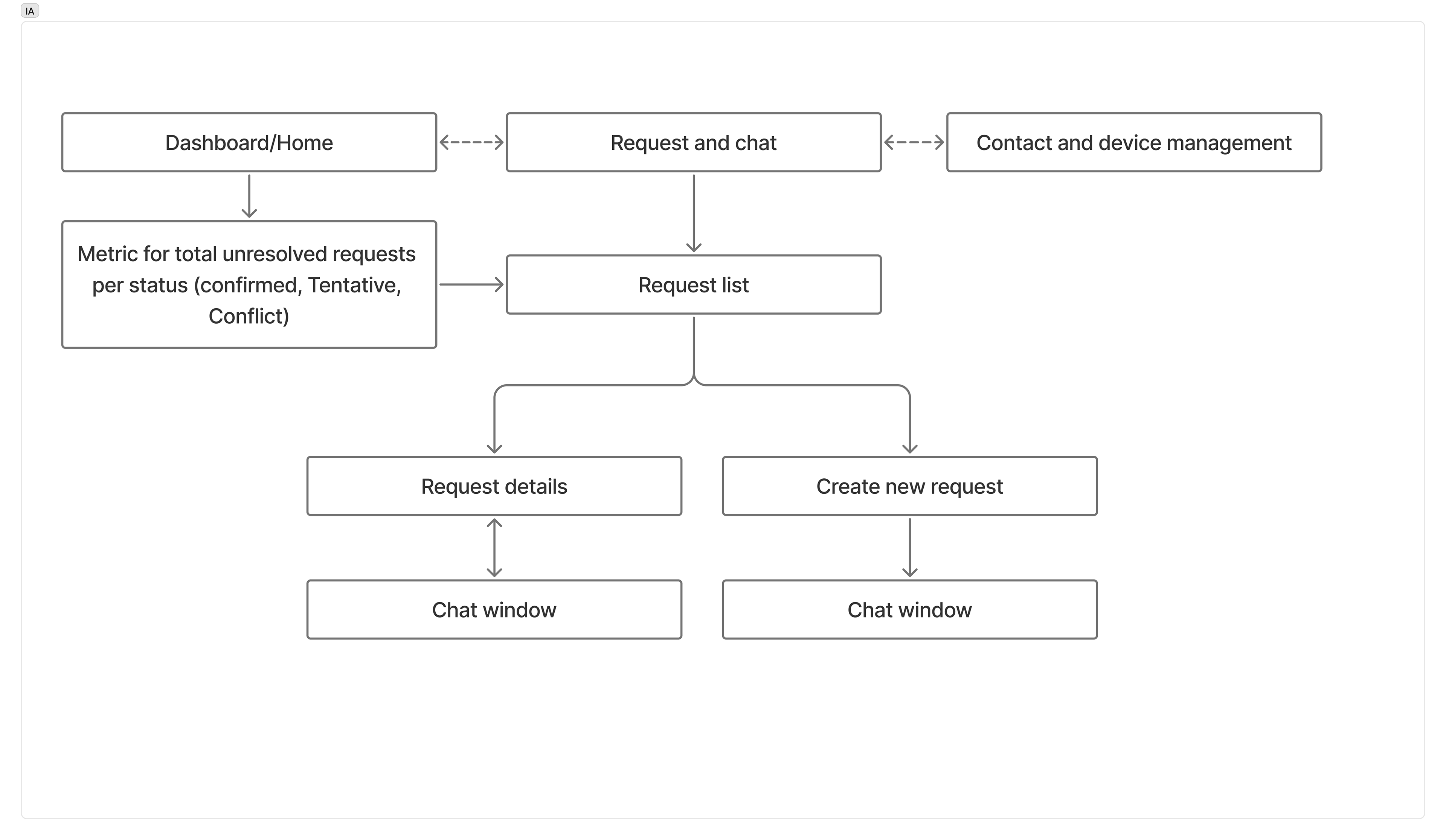
Information Architecture